
In the modern era of digital nomadism, the “office” can be a Parisian café, a beach in Bali, or a cramped tray table on a cross-country flight. While remote work offers unparalleled freedom, it often comes with a significant hardware limitation: screen real estate. Working on a single 13-inch laptop screen can slash productivity by up to 40%.
Enter the foldable dual-screen portable monitor. These engineering marvels are becoming the ultimate “gift for travelers” and a necessity for professionals who refuse to compromise on efficiency. In this guide, we’ll explore why these devices are a game-changer for your next remote work trip.
Why You Need a Dual-Screen Setup for Travel
When you’re managing spreadsheets, attending Zoom calls, and Slack messaging simultaneously, one screen simply isn’t enough. Foldable monitors provide:
- Seamless Multitasking: Keep your research on one screen and your document on the other.
- Compact Portability: Most models fold down to the size of a standard laptop, fitting easily into your travel backpack.
- Plug-and-Play Simplicity: Modern USB-C technology means you don’t need bulky power bricks.
Comparison: Top Foldable Dual-Screen Monitors of 2026
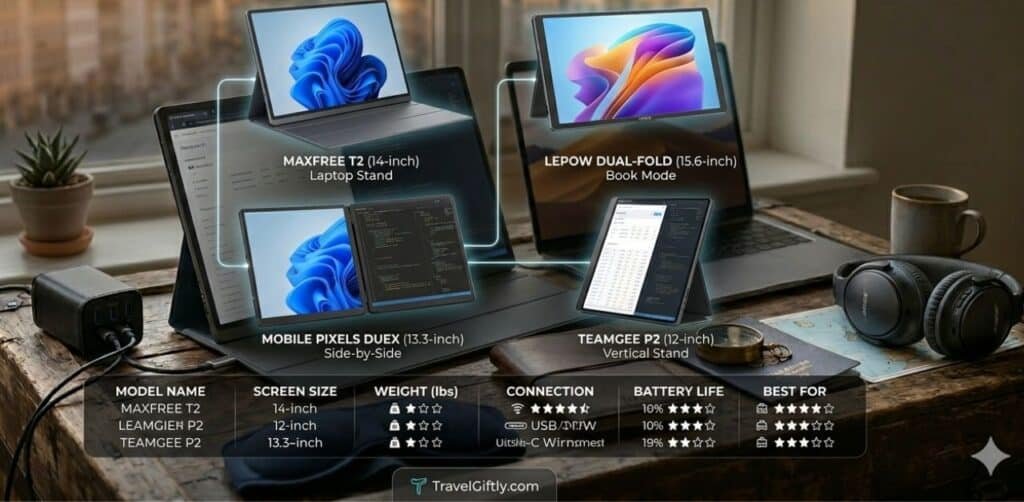
| Model Name | Screen Size | Weight | Connection | Best For |
| MaxFree T2 | Dual 14″ | 2.8 lbs | USB-C/HDMI | Budget Professional |
| Mobile Pixels Duex | Dual 13.3″ | 3.1 lbs | USB-C | Stability & Durability |
| Lepow Dual-Fold | Dual 15.6″ | 3.5 lbs | USB-C | Large Workspace |
| Teamgee P2 | Dual 12″ | 2.5 lbs | USB-C | Ultralight Travel |
Critical Features to Look for Before Buying
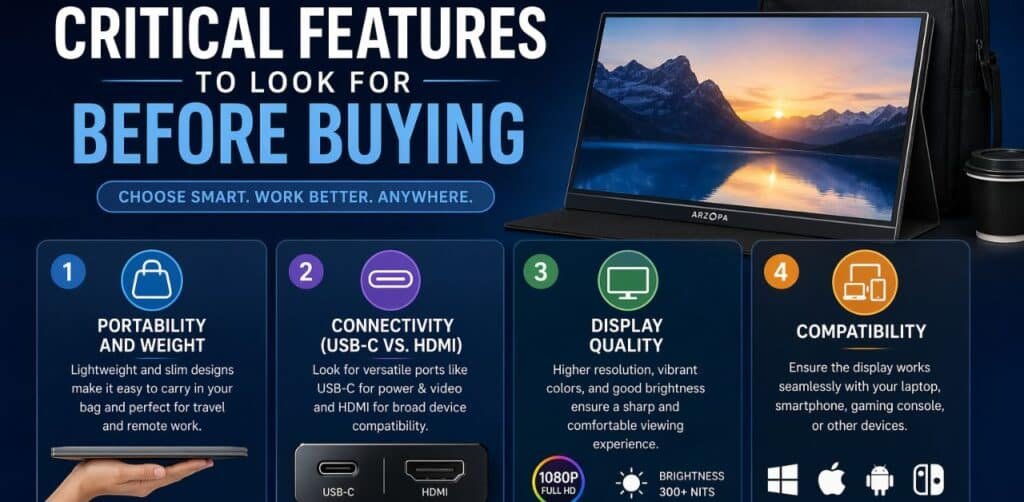
Not all portable monitors are created equal. For a successful remote work trip, consider these factors:
1. Portability and Weight
Since you’ll be carrying this in your luggage, every gram counts. Look for foldable designs that offer a protective sleeve or integrated cover to prevent screen scratches during transit.
2. Connectivity (USB-C vs. HDMI)
The best monitors use a single USB-C cable for both power and video signals. This reduces cable clutter in your Next-Gen Smart Travel Tech kit.
3. Display Quality
Look for IPS panels with at least 300 nits of brightness. If you enjoy working from sunny outdoor locations, an anti-glare matte finish is essential.
4. Compatibility
Ensure the monitor supports your OS (Windows, macOS, or Linux). Note that some M1/M2 MacBooks require specific drivers to support dual external displays.
Top 5 Benefits of Using Dual Monitors for Remote Work
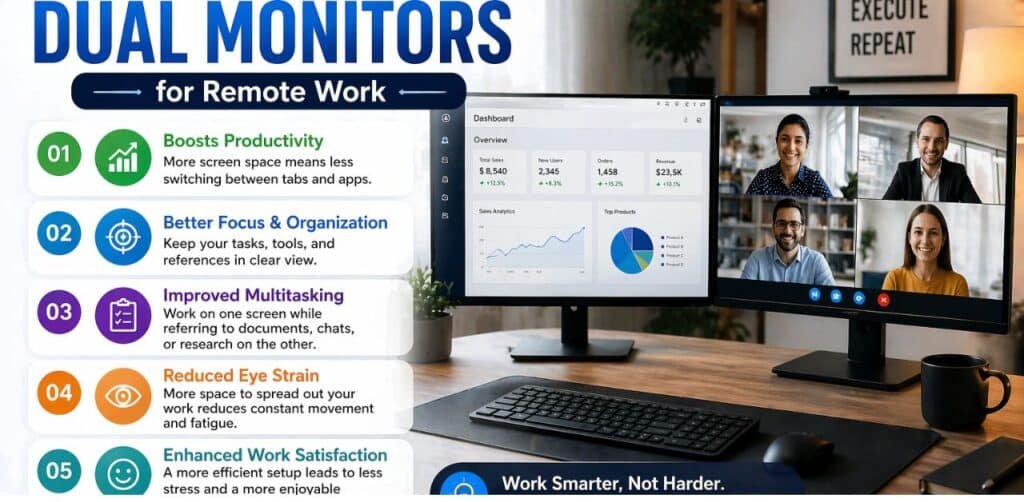
- Reduced Eye Strain: By spreading your windows across two screens, you avoid the constant “Alt-Tabbing” that causes cognitive fatigue.
- Professional Presentation: During client calls, you can have your notes on one screen while the camera and presentation stay on the other.
- Space Efficiency: Foldable monitors often come with built-in kickstands, allowing you to set up a vertical or horizontal workstation on small hotel desks.
- Gaming and Leisure: After work, use the dual screens for an immersive movie experience or gaming.
- Enhanced Organization: Categorize your workflow geographically—communications on the left, core tasks in the center.
Pro Tip: Always carry a high-wattage GaN charger. Powering a laptop and two external screens simultaneously requires significant juice! Check out our guide on Problem-Solving & Utility Gear for the best power solutions.
How to Set Up Your Mobile Workstation
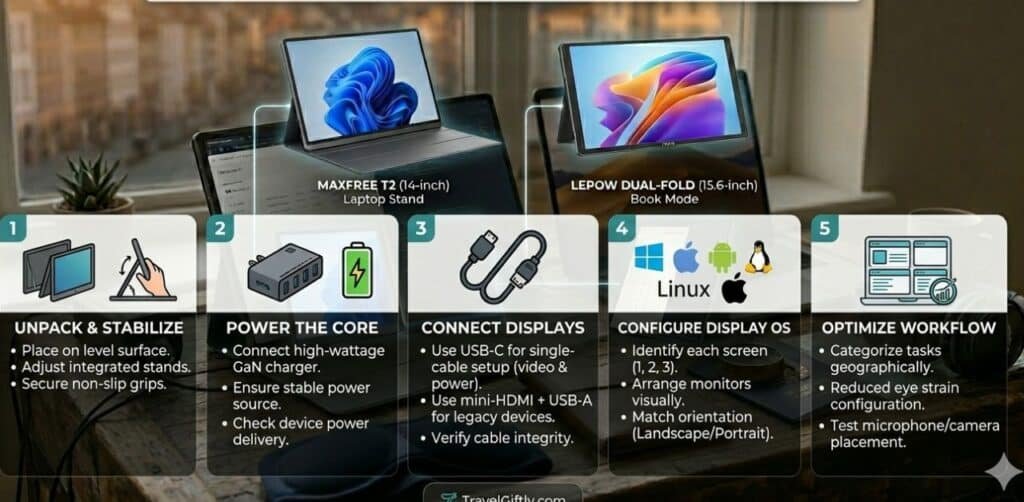
Setting up your foldable monitor is usually straightforward:
- Unfold the monitor and adjust the kickstand to your preferred angle.
- Connect the USB-C cable to your laptop’s Thunderbolt or video-enabled port.
- Configure Display Settings: On Windows (Settings > System > Display) or Mac (System Settings > Displays), arrange the monitors to match their physical positions.
Frequently Asked Questions (FAQs)
Q1: Do portable monitors drain laptop battery fast?
Yes, since they draw power from the laptop. It is recommended to keep your laptop plugged into a power source when using dual screens.
Q2: Can I use these monitors with a smartphone?
Many modern foldable monitors support “Desktop Mode” for Samsung (Dex) or iPhones with USB-C, making them great Digital Travel Gifts.
Q3: Are they fragile for air travel?
While they are built for travel, the screens are glass. Always use a padded case and avoid placing heavy objects on top of your laptop bag.
Conclusion
A foldable dual-screen portable monitor is no longer a luxury—it’s a productivity powerhouse for anyone serious about remote work trips. By choosing a model that balances weight, connectivity, and screen quality, you can turn any location in the world into a high-functioning office.
Stop struggling with a single screen and start working smarter. Whether you are a blogger, a coder, or a digital artist, doubling your screens will undoubtedly double your creative output.