travelgiftly.com

Next-Gen Smart Travel Tech

The Future of Travel Security: Bluetooth Enabled Smart Padlocks with Fingerprint Access
Next-Gen Smart Travel Tech

The Future of Travel Security: Bluetooth Enabled Smart Padlocks with Fingerprint Access

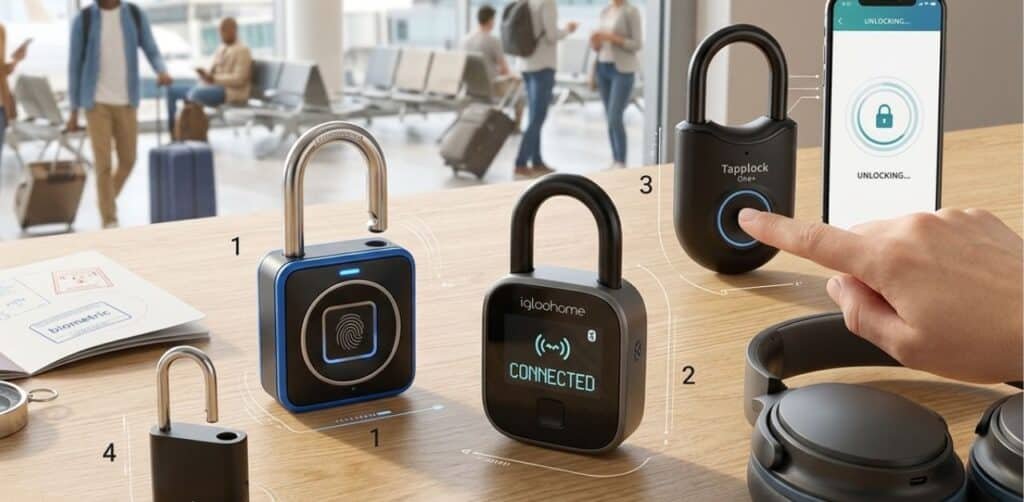
Security is the biggest concern for any traveler, whether you are staying in a hostel in Europe or traveling through busy airports. Traditional padlocks with keys are outdated keys get lost, and combinations are easy to forget. Enter the era of Bluetooth enabled smart padlocks with fingerprint access. These high tech devices are changing the way we secure our belongings, offering a blend of biometric technology and smartphone connectivity. In this comprehensive 2026 guide, we will dive deep into why these smart locks are a must have and which models are leading the market. Why Choose a Biometric Bluetooth Padlock? Smart padlocks offer more than just a cool factor. They provide a multi layered security approach that traditional locks simply cannot match. Here is why you should consider upgrading: Comparison: Top Smart Padlocks of 2026 Brand Model Access Types Battery Standby App Support Best For Master Lock Biometric Fingerprint + Bluetooth 1 Year Yes (Lite) Gym & Storage Igloohome Smart Padlock Fingerprint + App Code 9 Months Yes (Advanced) Heavy Duty Travel Tapplock One+ Fingerprint + Morse 1 Year Yes Backpacking TravelLock Mini Fingerprint Only 6 Months No Carry-on Bags Critical Features to Look for in 2026 Not all smart locks are created equal. When selecting a lock for your next trip, keep these functional specs in mind: 1. TSA Approval If you are using the lock for air travel, it must be TSA approved. This allows security agents to open the lock using a master key without damaging your expensive smart device. 2. Fingerprint Recognition Speed The best locks use 360° biometric sensors that can recognize your print in less than 0.5 seconds. Look for a lock that can store at least 10 to 20 different fingerprints. 3. Backup Unlocking Methods What happens if the battery dies or your finger is wet High quality Bluetooth enabled smart padlocks offer backup methods like: 4. Material and Build Quality For beach or tropical destinations, ensure the shackle is made of boron alloy or stainless steel to prevent rust. If you’re heading to a humid spot you might want to pair this with our guide on Smart Wearable Fans to stay comfortable while you pack. How to Maintain Your Smart Padlock To ensure your lock lasts for years follow these simple maintenance steps: The Benefits of Bluetooth Connectivity Having Bluetooth on your lock isn’t just a gimmick. It allows you to: Frequently Asked Questions (FAQs) Q1: What happens if the battery of my smart padlock dies? Most smart padlocks stay locked when the battery dies. However they feature an emergency micro USB or USB-C port. You can simply plug in a power bank for a few seconds to provide enough power to scan your fingerprint and unlock it. Q2: Can someone hack my Bluetooth padlock? Modern smart locks use 128 bit or 256 bit AES encryption the same level used by banks. While no device is 100% unhackable, it is much harder to hack a smart lock than it is to pick a traditional one. Q3: Is the fingerprint sensor affected by water? While many locks are IP65 water-resistant, a very wet finger might not scan correctly. Always dry your finger and the sensor for the best results. Q4: How many fingerprints can I store? Most standard models allow between 10 and 50 fingerprints. This is useful if you want to give access to multiple family members or use different fingers yourself. Conclusion A Bluetooth enabled smart padlock with fingerprint access is an investment in peace of mind. It removes the stress of losing keys and adds a layer of modern tech to your travel gear. Whether you are a digital nomad or a casual vacationer, this is one piece of tech that truly simplifies your life. Protect your valuables with the latest in biometric security and enjoy your trip without the where are my keys? panic.
Stay Cool in Paradise: The Best Smart Wearable Fans for Humid Tropical Beach Destinations
Next-Gen Smart Travel Tech

Stay Cool in Paradise: The Best Smart Wearable Fans for Humid Tropical Beach Destinations

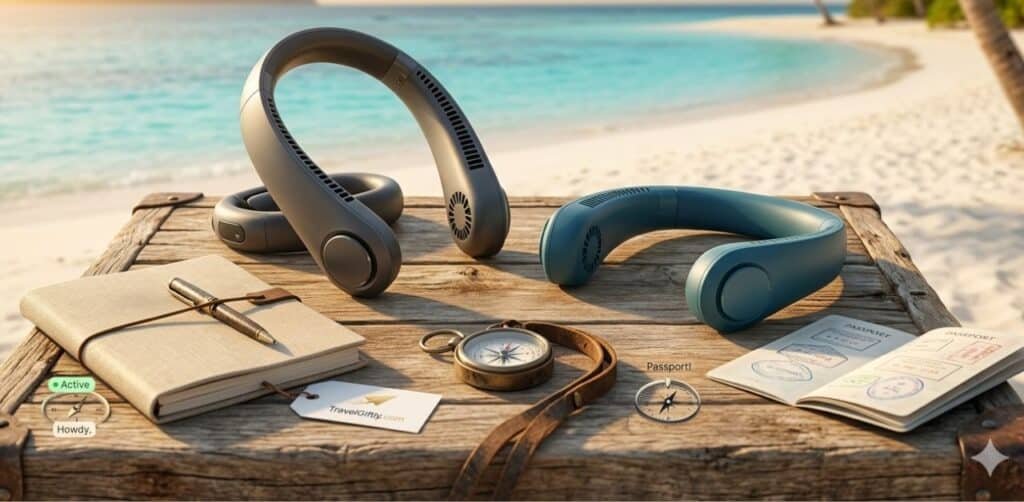
Tropical beach destinations like the Maldives, Bali, or the Caribbean offer breathtaking views, but the humidity can be relentless. When the temperature rises and the air stands still, a regular handheld fan just doesn’t cut it. That’s where smart wearable fans come into play. These hands-free devices are the ultimate Next-Gen Smart Travel Tech for travelers who want to enjoy the sun without the sweat. In this guide, we will explore the top smart wearable fans of 2026 designed specifically to handle the intense humidity of tropical climates. Why a Wearable Fan is a Must-Have for Tropical Travel Unlike traditional fans, wearable neck fans use bladeless technology and semiconductor cooling to provide a constant stream of cool air around your neck and face. For a beach lover, this means: Comparison: Top Smart Wearable Fans of 2026 Model Name Battery Life Cooling Tech Noise Level Best For Coolify 3 Max Up to 24 Hours Semiconductor Ice Chip Ultra-Quiet Long Beach Days Jisulife Pro 3 18 Hours Dual Turbine Airflow Moderate Active Hiking FrigidNeck Smart 12 Hours AI Temp Control Quiet High Humidity ArcticAir Wear 10 Hours Basic Bladeless Low Budget Travelers Critical Features for Tropical Beach Use When shopping for a fan to use at a humid beach, you can’t just pick any model. Look for these specific features: 1. Humidity and Sweat Resistance Tropical environments are wet. Ensure your wearable fan has an IPX4 or higher rating. This protects the internal motors from salty sea air and sweat, which can corrode standard electronics. 2. Battery Endurance The heat in the tropics is constant. You need a fan with at least 8-10 hours of battery life on a single charge. Look for USB-C fast charging so you can top it up quickly with a portable power bank from your Problem-Solving & Utility Gear collection. 3. AI Temperature Sensors The latest 2026 models feature AI sensors that detect your skin temperature and adjust the fan speed automatically. This prevents “over-cooling” and saves battery life when you move into the shade. 4. Lightweight Ergonomics Comfort is key. If a neck fan is too heavy, it will become uncomfortable after an hour. Aim for models that weigh less than 350 grams and have adjustable silicone bands for a snug fit. How to Get the Most Out of Your Wearable Fan Top 5 Benefits of Using Smart Neck Fans Pro Tip: If you are traveling to a destination with very high humidity, look for a fan that has a “Dehumidifying Mode.” These fans use a specific airflow pattern to help dry the sweat off your skin faster. Frequently Asked Questions (FAQs) Q1: Can I take a wearable fan on a plane? Yes! Since they use Lithium-ion batteries, you should keep them in your carry-on luggage. They are perfectly safe for flights and FAA compliant. Q2: How do I clean my neck fan after a beach trip? Use a damp (not wet) cloth to wipe away salt residue. Never submerge it in water, even if it is water-resistant. Q3: Are wearable fans loud? Most “Smart” models are designed to be under 30dB, which is quieter than a whisper. You will barely notice the sound. Conclusion A smart wearable fan is the secret weapon for any successful tropical vacation. By investing in a high-quality, smart-sensing model, you can reclaim your comfort and focus on making memories instead of fighting the heat. Whether you’re exploring the streets of Bangkok or lounging on the sands of Hawaii, stay cool, stay smart, and travel better.

Double Your Productivity: The Best Foldable Dual-Screen Portable Monitors for Remote Work Trips
Next-Gen Smart Travel Tech

Double Your Productivity: The Best Foldable Dual-Screen Portable Monitors for Remote Work Trips

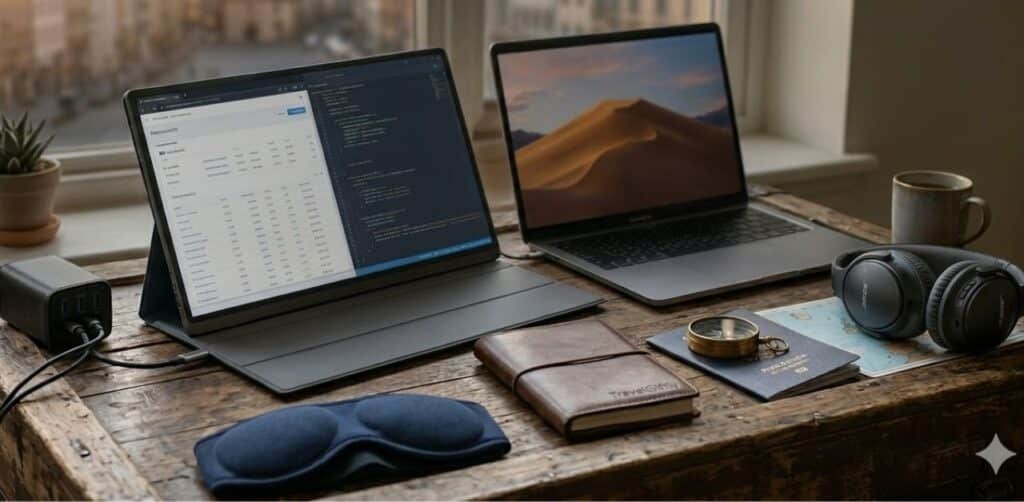
In the modern era of digital nomadism, the “office” can be a Parisian café, a beach in Bali, or a cramped tray table on a cross-country flight. While remote work offers unparalleled freedom, it often comes with a significant hardware limitation: screen real estate. Working on a single 13-inch laptop screen can slash productivity by up to 40%. Enter the foldable dual-screen portable monitor. These engineering marvels are becoming the ultimate “gift for travelers” and a necessity for professionals who refuse to compromise on efficiency. In this guide, we’ll explore why these devices are a game-changer for your next remote work trip. Why You Need a Dual-Screen Setup for Travel When you’re managing spreadsheets, attending Zoom calls, and Slack messaging simultaneously, one screen simply isn’t enough. Foldable monitors provide: Comparison: Top Foldable Dual-Screen Monitors of 2026 Model Name Screen Size Weight Connection Best For MaxFree T2 Dual 14″ 2.8 lbs USB-C/HDMI Budget Professional Mobile Pixels Duex Dual 13.3″ 3.1 lbs USB-C Stability & Durability Lepow Dual-Fold Dual 15.6″ 3.5 lbs USB-C Large Workspace Teamgee P2 Dual 12″ 2.5 lbs USB-C Ultralight Travel Critical Features to Look for Before Buying Not all portable monitors are created equal. For a successful remote work trip, consider these factors: 1. Portability and Weight Since you’ll be carrying this in your luggage, every gram counts. Look for foldable designs that offer a protective sleeve or integrated cover to prevent screen scratches during transit. 2. Connectivity (USB-C vs. HDMI) The best monitors use a single USB-C cable for both power and video signals. This reduces cable clutter in your Next-Gen Smart Travel Tech kit. 3. Display Quality Look for IPS panels with at least 300 nits of brightness. If you enjoy working from sunny outdoor locations, an anti-glare matte finish is essential. 4. Compatibility Ensure the monitor supports your OS (Windows, macOS, or Linux). Note that some M1/M2 MacBooks require specific drivers to support dual external displays. Top 5 Benefits of Using Dual Monitors for Remote Work Pro Tip: Always carry a high-wattage GaN charger. Powering a laptop and two external screens simultaneously requires significant juice! Check out our guide on Problem-Solving & Utility Gear for the best power solutions. How to Set Up Your Mobile Workstation Setting up your foldable monitor is usually straightforward: Frequently Asked Questions (FAQs) Q1: Do portable monitors drain laptop battery fast? Yes, since they draw power from the laptop. It is recommended to keep your laptop plugged into a power source when using dual screens. Q2: Can I use these monitors with a smartphone? Many modern foldable monitors support “Desktop Mode” for Samsung (Dex) or iPhones with USB-C, making them great Digital Travel Gifts. Q3: Are they fragile for air travel? While they are built for travel, the screens are glass. Always use a padded case and avoid placing heavy objects on top of your laptop bag. Conclusion A foldable dual-screen portable monitor is no longer a luxury—it’s a productivity powerhouse for anyone serious about remote work trips. By choosing a model that balances weight, connectivity, and screen quality, you can turn any location in the world into a high-functioning office. Stop struggling with a single screen and start working smarter. Whether you are a blogger, a coder, or a digital artist, doubling your screens will undoubtedly double your creative output.

The Ultimate Guide to Smart Sleep Masks with Built-in Soothing Ambient Sounds
Next-Gen Smart Travel Tech

The Ultimate Guide to Smart Sleep Masks with Built-in Soothing Ambient Sounds

In today’s fast-paced world, getting a full night of restful sleep has become a luxury. Whether it is the stress of work, the constant hum of city traffic, or the disruptive sound of a partner’s snoring, external factors often keep us awake. Fortunately, technology has found a solution: smart sleep masks with built-in soothing ambient sounds. These are not just regular eye covers; they are high-tech wearable devices designed to create a personal “sleep sanctuary” by combining total darkness with calming audio therapy. For travelers, these gadgets are as essential as carrying the best travel gear for tech-savvy nomads because they ensure you wake up refreshed regardless of your environment. Why You Need a Smart Sleep Mask? Traditional sleep masks only block light, but they don’t address the auditory distractions that keep the brain active. Smart masks integrate ultra-thin speakers that play “White Noise,” “Nature Sounds,” or “Ambient Melodies.” This dual-action approach helps lower your heart rate and prepares your brain for deep REM sleep. Key Benefits of Sound-Integrated Sleep Masks Comparison: Top Smart Sleep Mask Features for 2026 Feature High-End Pro Mask Budget Bluetooth Mask AI-Powered Sleep Mask Sound Quality High-Fidelity 3D Audio Standard Stereo Adaptive AI Soundscapes Battery Life 12-15 Hours 8-10 Hours 10-12 Hours Material Premium Silk & Memory Foam Soft Synthetic Cotton Breathable Bamboo Fiber Best For Luxury & Long Flights Casual Home Use Chronic Insomnia Critical Features to Look For Before Buying When searching for the perfect smart sleep mask with built-in soothing ambient sounds, keep these factors in mind: 1. Bluetooth Connectivity vs. Pre-loaded Sounds Most modern masks connect via Bluetooth to your smartphone, allowing you to stream playlists from Spotify or Calm. However, some premium models come with pre-loaded offline sounds, which is great if you want to keep your phone in another room to avoid blue light. 2. Ergonomic 3D Contour Design Ensure the mask has an eye cavity. A 3D design prevents pressure on your eyelids and eyelashes, allowing your eyes to move freely during the REM (Rapid Eye Movement) sleep stage. This attention to comfort is what separates a professional sleep tool from a basic accessory, much like how handcrafted leather journals offer a superior tactile experience over standard notebooks. 3. Ultra-Thin Speakers for Side Sleepers If you sleep on your side, thick speakers will cause ear pain. Look for “ultra-slim” or “hidden” speakers that are buried deep within the foam padding. How Ambient Sounds Improve Sleep Quality Ambient sounds, such as falling rain, ocean waves, or forest winds, create a consistent acoustic environment. This prevents your brain from reacting to sudden spikes in noise. By wearing a sound-integrated mask, you are essentially giving your brain a “signal” that it is time to shut down and recover. This level of peace is often sought by those who invest in luxury travel gifts for men or wellness-focused technology. Best Practices for Maintenance Frequently Asked Questions (FAQs) 1. Are smart sleep masks comfortable for side sleepers? Yes! Most high-quality smart masks are designed with side sleepers in mind. They feature ultra-thin, padded speakers that are barely felt even when pressing your ear against a pillow. 2. Can I use these masks for meditation? Absolutely. Many users wear them during the day for meditation or “power naps” because the combination of darkness and ambient sound helps them enter a meditative state faster. 3. Is it safe to have Bluetooth near my head all night? Smart sleep masks use “Low-Energy Bluetooth” (Class 2), which emits significantly less radiation than a standard smartphone. However, if you are concerned, look for models with an “Offline Mode.” 4. How do I clean my smart sleep mask? You should only wash the outer fabric. Ensure the Bluetooth module and speakers are removed before hand-washing the mask with a mild detergent and letting it air dry. 5. Does the sound stop automatically? Many masks and connected apps have a “Sleep Timer” feature. You can set the sounds to play for 30, 60, or 120 minutes, or keep them looping all night. Conclusion Investing in a smart sleep mask with built-in soothing ambient sounds is a game-changer for anyone struggling with sleep quality. By combining sensory deprivation (blocking light) with soothing audio, these devices provide a holistic solution to insomnia and travel fatigue. Whether you are a frequent traveler or a homebody, this gadget is a must-have for a healthier lifestyle.

Top-Rated Portable 5G Travel Routers for Digital Nomads: The 2026 Ultimate Guide
Next-Gen Smart Travel Tech

Top-Rated Portable 5G Travel Routers for Digital Nomads: The 2026 Ultimate Guide

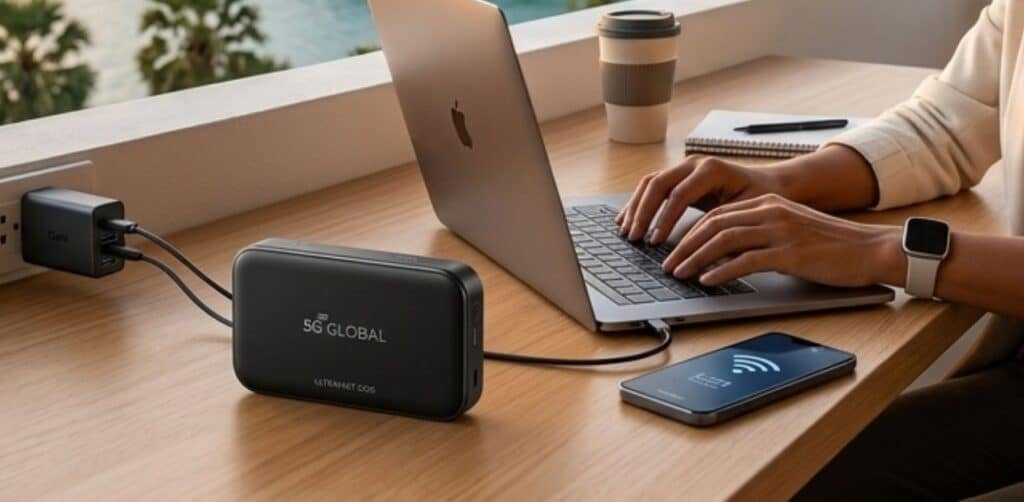
For the modern digital nomad, “Wi-Fi” isn’t just a convenience—it is the lifeblood of their career. In 2026, the world has shifted. Public hotspots are increasingly congested, and security risks have reached an all-time high. Relying on patchy cafe internet or expensive hotel Wi-Fi is no longer a viable strategy for professionals. The solution? A dedicated, portable 5G travel router. These pocket-sized powerhouses provide a private, encrypted, and ultra-fast connection wherever a cellular signal exists. In this guide, we analyze the top-rated 5G routers of 2026 that are specifically designed to handle the demands of Zoom calls, heavy file uploads, and multi-device setups. Comparison: Best 5G Travel Routers of 2026 Model Max Speed (Download) Technology Battery Life Best For NomadStream Pro X 7.5 Gbps Wi-Fi 7 + eSIM 18 Hours Power Users JetSet Mini 5G 4.2 Gbps Sub-6GHz + mmWave 10 Hours Ultra-Light Travelers GlobalLink Elite 5.0 Gbps Dual-Band Wi-Fi 6E 24 Hours Long Workdays SkyConnect Air 3.8 Gbps Cloud SIM Tech 12 Hours Frequent Country Hoppers SecurePort 5G 6.1 Gbps Hardware VPN + WPA3 15 Hours Cyber-Security Focus Why You Need a Dedicated 5G Router in 2026 You might wonder, “Can’t I just use my phone’s hotspot?” While your phone works for a quick email, it isn’t a long-term solution. Here is why nomads are switching to dedicated hardware: Key Features to Look for in 2026 When choosing your router, make sure it meets these 2026 technical standards: Top Picks for Every Type of Nomad 1. NomadStream Pro X: The Best Overall The NomadStream Pro X is the current market leader. It is one of the few devices that fully supports the new 2026 5G spectrums. Its “Smart Band Switching” AI ensures that if one frequency is crowded, it silently switches to a clearer one to prevent dropped calls. It pairs perfectly with high-performance gear like Sony or Bose noise-canceling headphones for a complete mobile office. 2. JetSet Mini 5G: The Minimalist Choice If you are part of the ultralight revolution, the JetSet Mini is for you. It is about the size of a credit card but packs a massive punch. While the battery is smaller, it can be easily topped up using a high-speed GaN charger. 3. GlobalLink Elite: The Battery King For those who work from beaches or remote vans, the GlobalLink Elite offers a staggering 24-hour battery life. It even doubles as a power bank, allowing you to charge your phone while you work. Setting Up Your Mobile Office: Pro Tips Frequently Asked Questions (FAQs) Q: Will a 5G router work in countries that only have 4G? A: Yes. All 5G routers are “backward compatible,” meaning they will automatically connect to 4G or even 3G networks if 5G is unavailable. Q: Are these routers unlocked? A: To get the most value, always buy an “Unlocked” version. This allows you to use any SIM card from any provider worldwide. Q: Do I still need a VPN? A: Yes. While the connection from your laptop to the router is secure, your data traveling through the cellular network should still be encrypted via a VPN for maximum privacy. Q: How much data do I need? A: A typical digital nomad using Zoom and cloud tools uses about 3GB to 5GB per day. Look for plans that offer “Unlimited” or “High-Speed” tiers of at least 100GB per month. Conclusion The freedom to work from anywhere is the ultimate luxury of 2026. However, that freedom is only possible with a reliable connection. Investing in a top-rated portable 5G travel router is the most important decision you can make for your professional lifestyle. Whether you choose the sheer power of the NomadStream or the portability of the JetSet Mini, you are ensuring that your office travels with you, wherever the road leads.

Best AI-Powered Luggage Trackers for International Travel: The 2026 Smart Gear Guide
Next-Gen Smart Travel Tech

Best AI-Powered Luggage Trackers for International Travel: The 2026 Smart Gear Guide

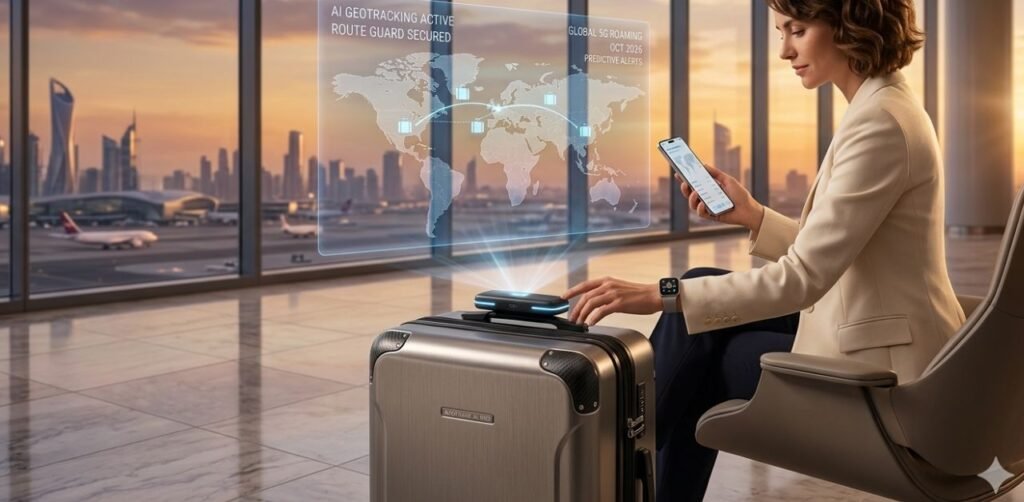
There is nothing quite as stressful as standing at a baggage carousel, watching the crowd thin out, and realizing your suitcase is nowhere to be seen. In 2026, relying on a simple Bluetooth tag is no longer enough for the complexities of global transit. The “AI Revolution” has officially entered our luggage, offering travelers predictive tracking, global 5G connectivity, and real-time alerts that go far beyond “last seen” locations. If you are a frequent flyer, a digital nomad, or someone planning a major international trip, investing in an AI-powered luggage tracker is the ultimate peace of mind. In this guide, we dive deep into the top-rated trackers of 2026 that ensure your gear stays on your radar, no matter where in the world you land. Comparison: Top AI Luggage Trackers of 2026 Model Technology Connectivity Battery Life Best For GeoTrack AI Pro AI-Predictive GPS 5G Global Roaming 6 Months Frequent Flyers NanoTag Smart 2026 Mesh Network + AI LTE-M & Bluetooth 1 Year Minimalist Travelers SkySentinel X Satellite + AI Global Satellite Rechargeable Remote Destinations SafePath Luggage Guard AI Proximity 4G/5G Hybrid 4 Months Multi-Stop Trips TravelSync Elite Audio-Visual AI 5G + Wi-Fi 8 Months Luxury Travel Why “AI-Powered” Trackers are a Must-Have in 2026 Standard trackers like the Apple AirTag or Tile rely on a network of nearby phones. While great for cities, they fail in remote airports or airplane cargo holds. AI-powered trackers change the game by using: Top Picks for International Travel 1. GeoTrack AI Pro: The Global Leader The GeoTrack AI Pro is the gold standard for 2026. It uses a combination of GPS, Wi-Fi sniffing, and 5G cellular towers to pinpoint your bag within centimeters. Its AI feature, “Route Guard,” alerts you if your luggage moves in a direction away from your destination gate. 2. NanoTag Smart 2026: The Minimalist Choice For those who prefer a small footprint, the NanoTag is the smallest AI tracker on the market. It fits perfectly into a hidden pocket of your ultralight minimalist backpack. Despite its size, it offers full global coverage and a battery that lasts an entire year. 3. SkySentinel X: For Remote Exploration If your travels take you off the beaten path—think Amazon rainforests or Himalayan treks—the SkySentinel X is your best bet. It uses low-orbit satellite technology paired with AI to provide a signal even where cellular networks don’t exist. It is a rugged addition to any 2026 travel tech gift guide. Critical Features to Look for Before Buying When shopping for an AI luggage tracker, don’t just look at the price. Check for these 2026 technical standards: Pro Tips for Baggage Security Frequently Asked Questions (FAQs) 1. Are AI luggage trackers allowed on all airlines? Yes, as long as they use lithium-ion batteries under a certain gram limit and have an automatic flight-shutoff feature. All models listed in this guide are 2026 IATA compliant. 2. Do I need a monthly subscription? Most AI trackers that use 5G or Satellite technology require a small monthly or yearly subscription for the data. However, many brands now offer “Travel Passes” for 30-day trips. 3. Can I use these for other things besides luggage? Absolutely. Because they are 5G-enabled, these are excellent for tracking rental cars, expensive camera gear, or even bikes while traveling abroad. 4. How does the AI help if the bag is lost? The AI doesn’t just show a dot on a map; it analyzes the location history. If your bag is in a “restricted area” of the airport, the AI provides specific data you can show to airline staff to speed up recovery. Conclusion Losing luggage can ruin a perfectly planned vacation. In 2026, the technology exists to make “lost bags” a thing of the past. By choosing an AI-powered luggage tracker with global 5G connectivity and predictive alerts, you are investing in a stress-free travel experience. Whether you are heading to a remote island or a bustling metropolis, let AI do the watching while you do the exploring.

Scroll to Top